Beyond Automation: What Is an Autonomous AI Agent?
An autonomous AI agent works toward a goal, uses tools, handles intermediate decisions, and stays within boundaries you define.
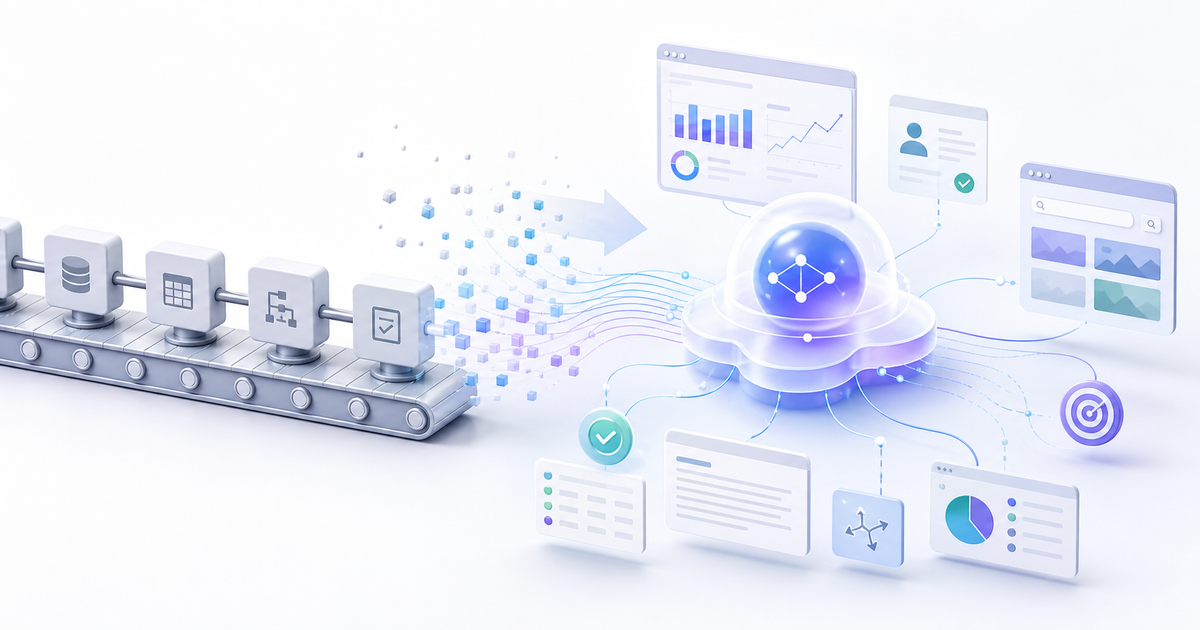
Most teams already use automation. A form submission triggers an email. A CRM update creates a task. A calendar booking sends a reminder.
That is useful, but it is not the same as an autonomous AI agent.
Automation follows instructions. An autonomous AI agent works toward an outcome. It can understand context, choose the next step, use tools, recover from small surprises, and ask for help when the decision actually matters.
One-Minute Summary
- Automation is a fixed workflow: if this happens, do that.
- An autonomous agent is goal-driven: given an objective, it decides what to do next.
- The useful version is not a black box. It needs boundaries, tool access, memory, and checkpoints.
- The best first use cases are repetitive, research-heavy workflows where judgment matters but the risk is controlled.
Automation Is a Script. An Agent Is a Worker.
Traditional automation is excellent when the path is predictable. It can move data from one system to another, send a standard message, or run a checklist.
The problem is that real work rarely stays inside the checklist.
A lead might have an unusual job title. A website might hide pricing behind a modal. A company might look irrelevant at first glance, but turn out to be a perfect fit because of a recent hiring pattern. A static workflow does not know what to do with that ambiguity.
An autonomous AI agent is designed for that middle ground: work that is too judgment-heavy for basic automation, but too repetitive for a human to do manually every time.
What Makes an Agent Autonomous?
An autonomous agent has four practical ingredients.
1. A Goal
You do not only tell it which buttons to press. You give it an outcome: find qualified leads, summarize customer feedback, monitor competitor changes, prepare a meeting brief, or reconcile a messy inbox.
2. Context
The agent needs to understand what good looks like. That might include your ideal customer profile, previous examples, company positioning, saved preferences, documents, browser sessions, or CRM data.
3. Tools
Agents become useful when they can act. That usually means browser access, APIs, files, email, calendars, CRMs, databases, or internal tools. Without tools, the agent is mostly a chat box with opinions.
4. Boundaries
Autonomy without boundaries is not productivity. It is risk. A good agent knows when it can proceed, when it should ask, and which actions are off limits without approval.
A Simple Example: Lead Qualification
Basic automation can say: if someone fills out a demo form, create a CRM record and notify sales.
An autonomous agent can go further:
- Read the company website
- Check whether the company matches your ICP
- Look for relevant buying signals
- Summarize why the account is or is not worth attention
- Draft a personalized follow-up
- Ask for approval before sending anything external
That is the difference. The automation moved the lead. The agent helped decide what the lead means.
The Trust Problem
The hard part is not making agents do things. The hard part is making people comfortable delegating meaningful work to them.
Teams do not trust agents because a vendor says they are autonomous. They trust agents when the system proves itself in small, visible steps.
A practical trust path looks like this:
- Observe first: let the agent analyze work without taking action.
- Recommend next: let it suggest actions and explain why.
- Act with approval: let it prepare work, but require a human checkpoint.
- Act within boundaries: let it complete low-risk tasks automatically.
That is how autonomy should be earned. Not all at once. Not blindly. Step by step.
Where Autonomous Agents Make Sense First
The best first workflows have three traits:
- They happen often
- They require context or judgment
- A mistake is recoverable
Good examples include meeting prep, prospect research, inbound lead qualification, support triage, inbox cleanup, document review, competitor monitoring, and internal reporting.
Bad first examples are high-risk, irreversible, or deeply political workflows: firing off legal notices, changing production systems, approving large payments, or messaging customers without review.
The Tinyhat View
Autonomous agents need a workspace, not unlimited access to your personal laptop. They need a place where they can use tools, remember context, run safely, and stay available without mixing with your private files.
That is why Tinyhat focuses on cloud AI computers: isolated environments where agents can do real work, while humans keep control over permissions, approvals, and resets.
Hermes Agent is the agentic OS currently available on Tinyhat computers. It gives the agent tools, context, memory, and a private Telegram interface, while Tinyhat provides the isolated computer underneath it.
The future is not more dashboards stitched together with brittle automation. It is smaller, trusted workers that understand the goal and handle the messy middle.
Start with Hermes on a private Tinyhat computer, then give your agent one workflow where earning trust is possible.


Comments ()